Finish More Tracks.
GrooveGrid shows what to work on next, tracks focused sessions per project, keeps every project in one place, and opens the right DAW file instantly.
Free download | Windows 10+
Works with FL Studio, Ableton Live, Pro Tools, Cubase, Studio One, Reaper, Bitwig Studio, and Reason
From Stalled To Structured
The difference between scattered sessions and a finishable workflow.
Chaos in the session.
- final_final_v9 next to final_REALLY_final
- Samples, exports, and DAW files spread across folders
- Ideas vanish before they become real tracks
- Studio time gets wasted figuring out where to resume
Clear path to finished tracks.
- One place to see every track and its current stage
- The right file opens fast when you're ready to work
- Notes, tasks, and ideas stay attached to the project
- You know what to finish next and keep moving
See GrooveGrid in Action
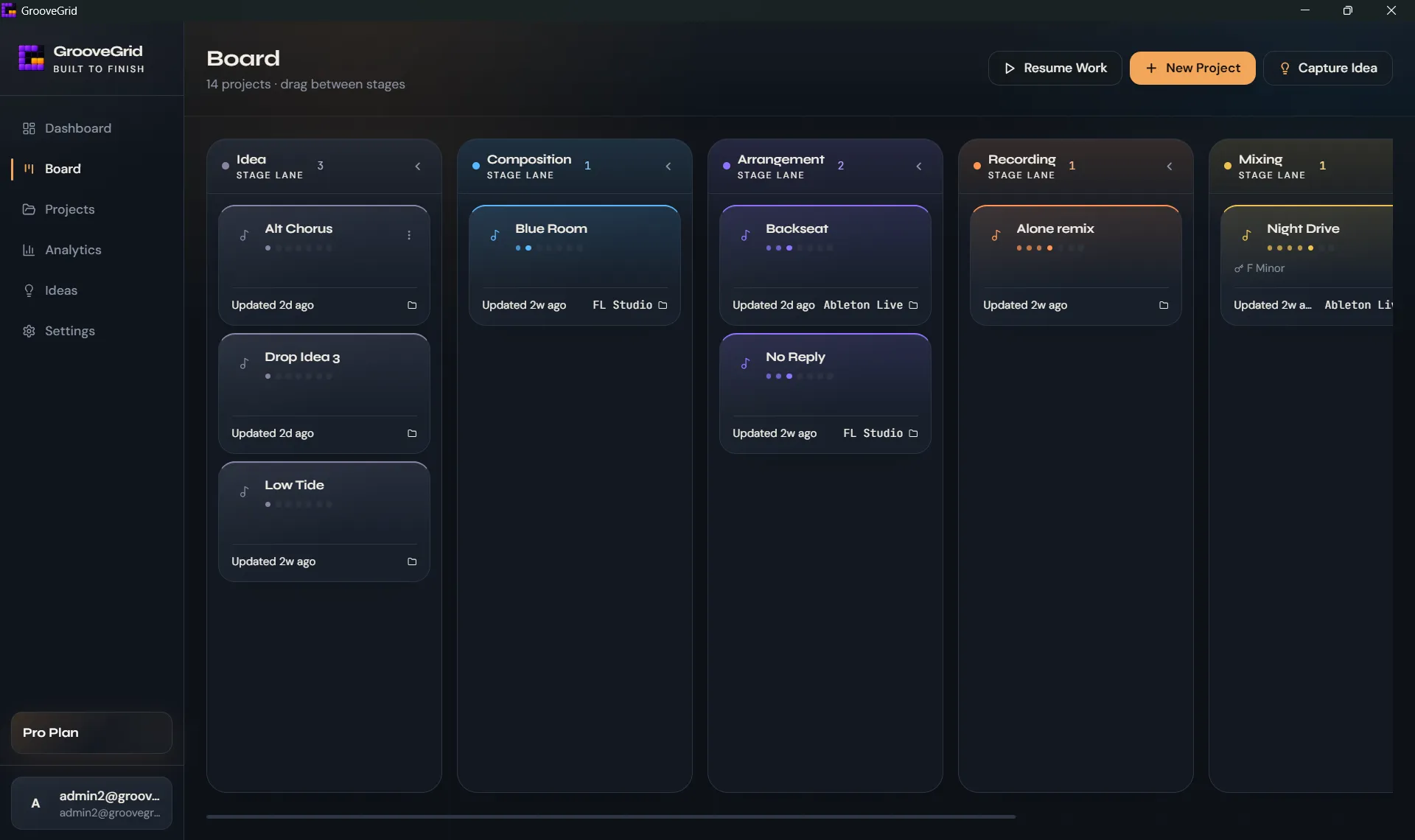
See exactly what needs your attention next
Move every track through clear stages from idea to release, so you always know what to finish instead of reopening random half-done sessions.
Keep everything for a track in one place
Every project keeps its latest file, next steps, and production notes together in a right-side hub, so you can pick up the right track and keep moving without hunting through folders or scattered reminders.
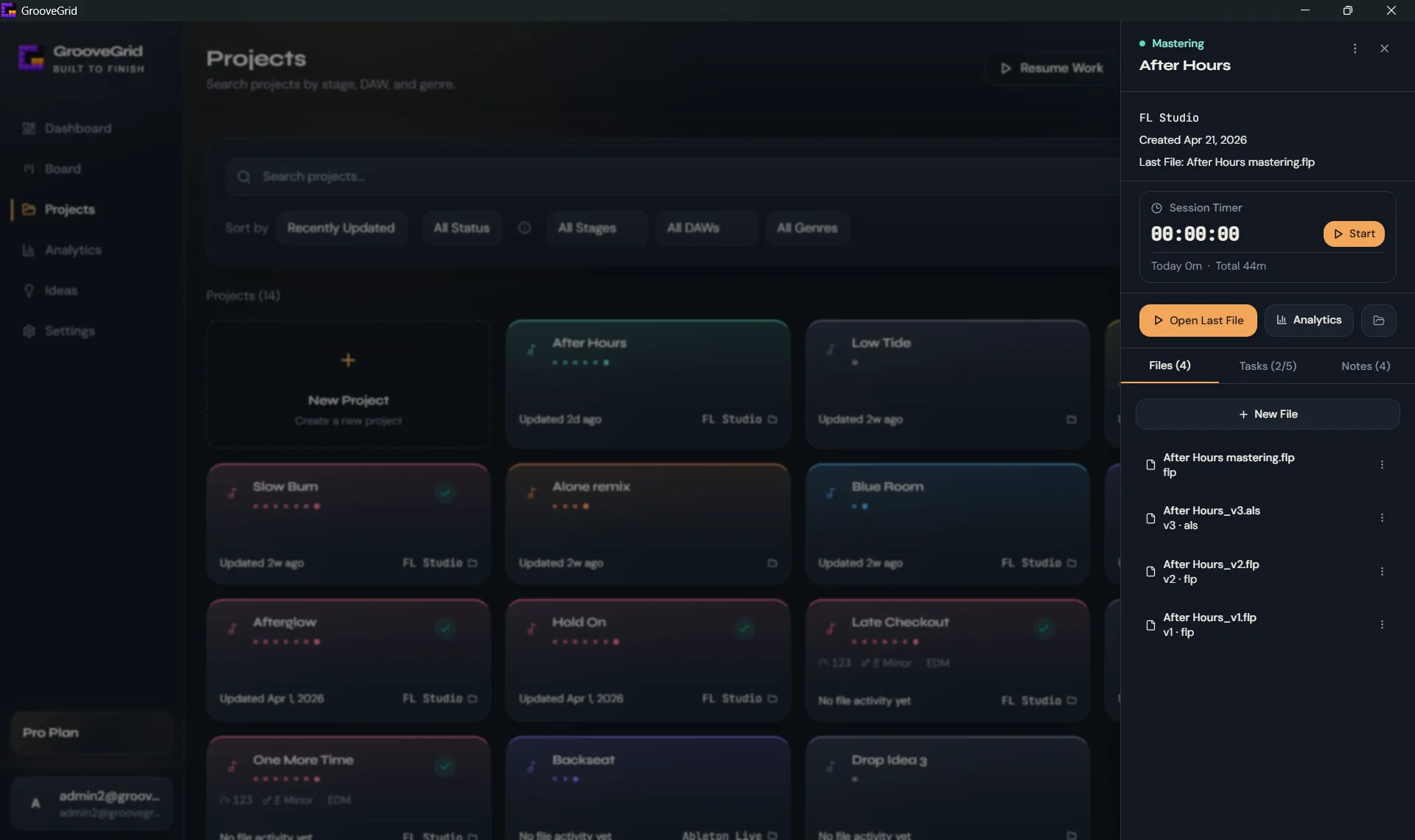
Open the latest session and keep every version attached to the project.
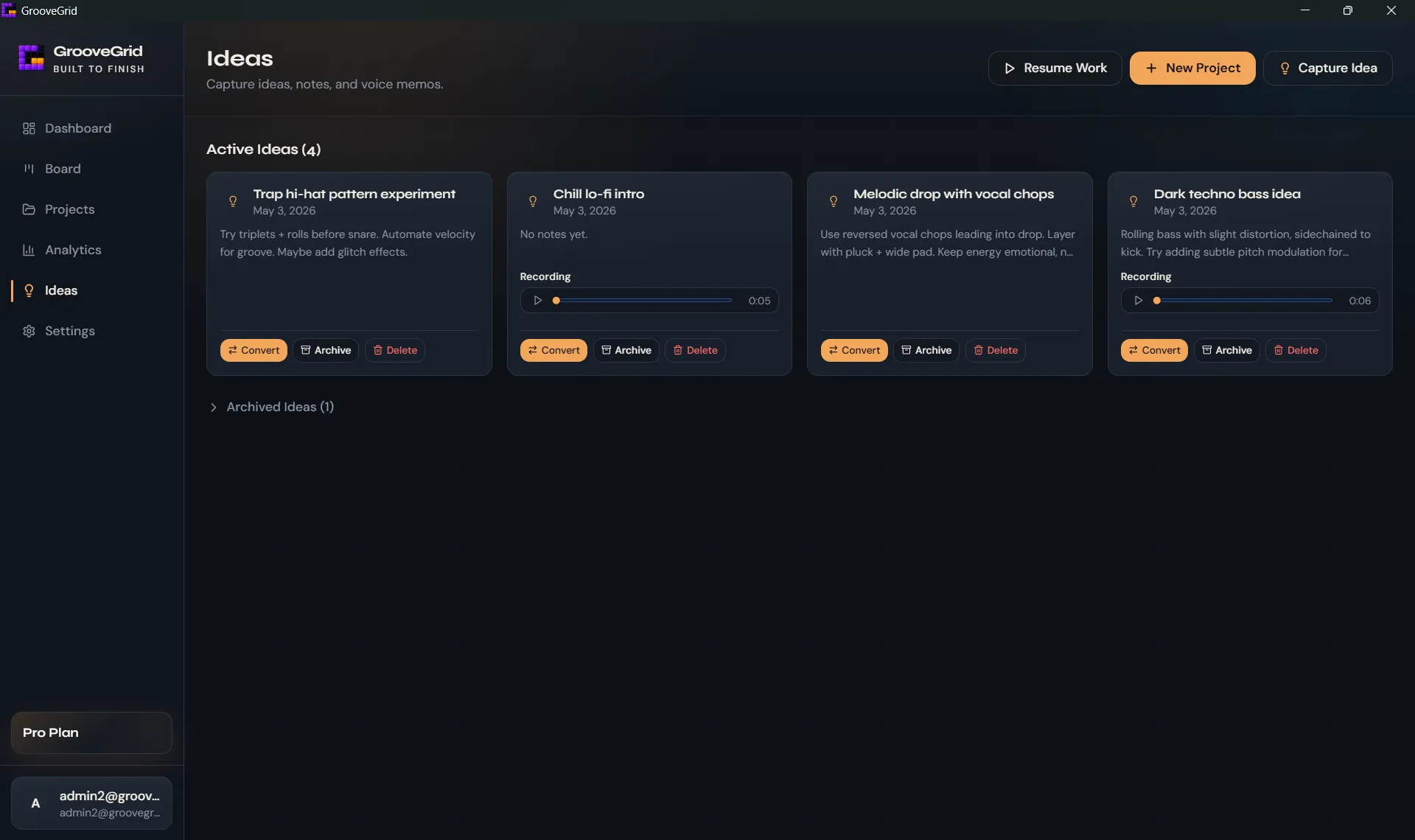
Capture ideas before they disappear
Save rough concepts, voice notes, and quick fragments fast, then turn the promising ones into real projects when you're ready to build.
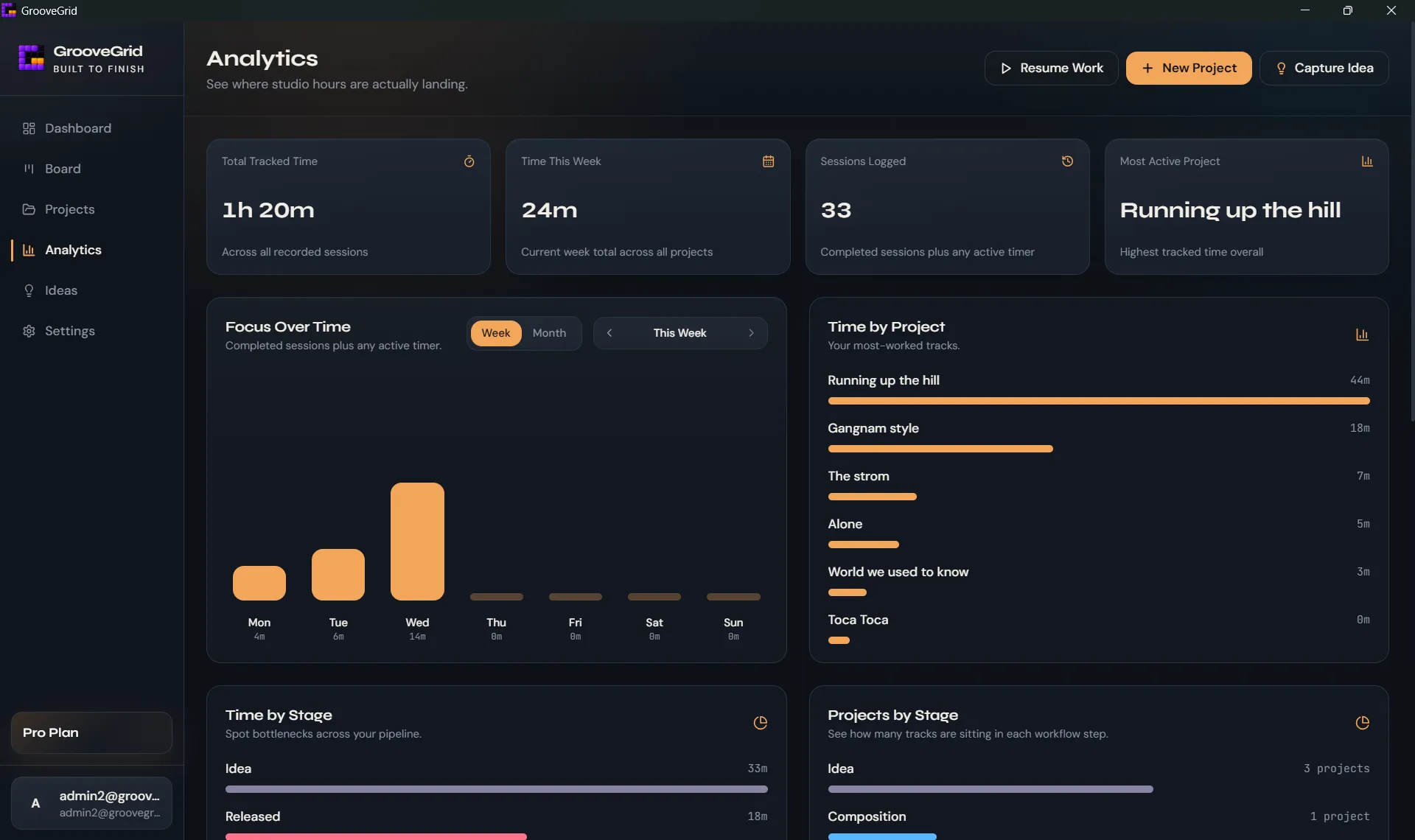
See where your studio time actually goes
Track sessions across projects, spot what is getting attention, and see where unfinished work is piling up before another week slips by.
Your projects stay on your machine
GrooveGrid runs locally, stores your projects and files on your machine, and works offline without depending on cloud storage.
Simple plans for every stage.
Start free. Upgrade anytime. Cancel anytime.
Free
Perfect for getting organized
- Up to 5 music projects
- Production pipeline tracking
- Project session timer with Today and Total tracked time
- Capture ideas, notes, and tasks
- Instant DAW project launching
- Local-first desktop app
Pro Monthly
Best for regular producers
- Unlimited music projects
- Pro Analytics: weekly focus, time by project and stage, session history
- Production pipeline tracking
- Project session timer with Today and Total tracked time
- Capture ideas, notes, and tasks
- Instant DAW project launching
- Local-first desktop app
Pro Yearly
Best value for long-term use
- Unlimited music projects
- Pro Analytics: weekly focus, time by project and stage, session history
- Production pipeline tracking
- Project session timer with Today and Total tracked time
- Capture ideas, notes, and tasks
- Instant DAW project launching
- Local-first desktop app
Stop losing tracks.
Start finishing them.
Windows Desktop App
Windows may show a warning because GrooveGrid is new and still building reputation with Microsoft Defender SmartScreen. Download only from the official GrooveGrid website.
Free download • Windows 10+
Local-first · Lightweight · Fast